Build Filters & Network Load
The build bar gets filters and marks for the ground each unit needs. Station Load and Network Loading are one layer that shows each line’s voltage. The text across the game is shorter.
Network Load is one layer
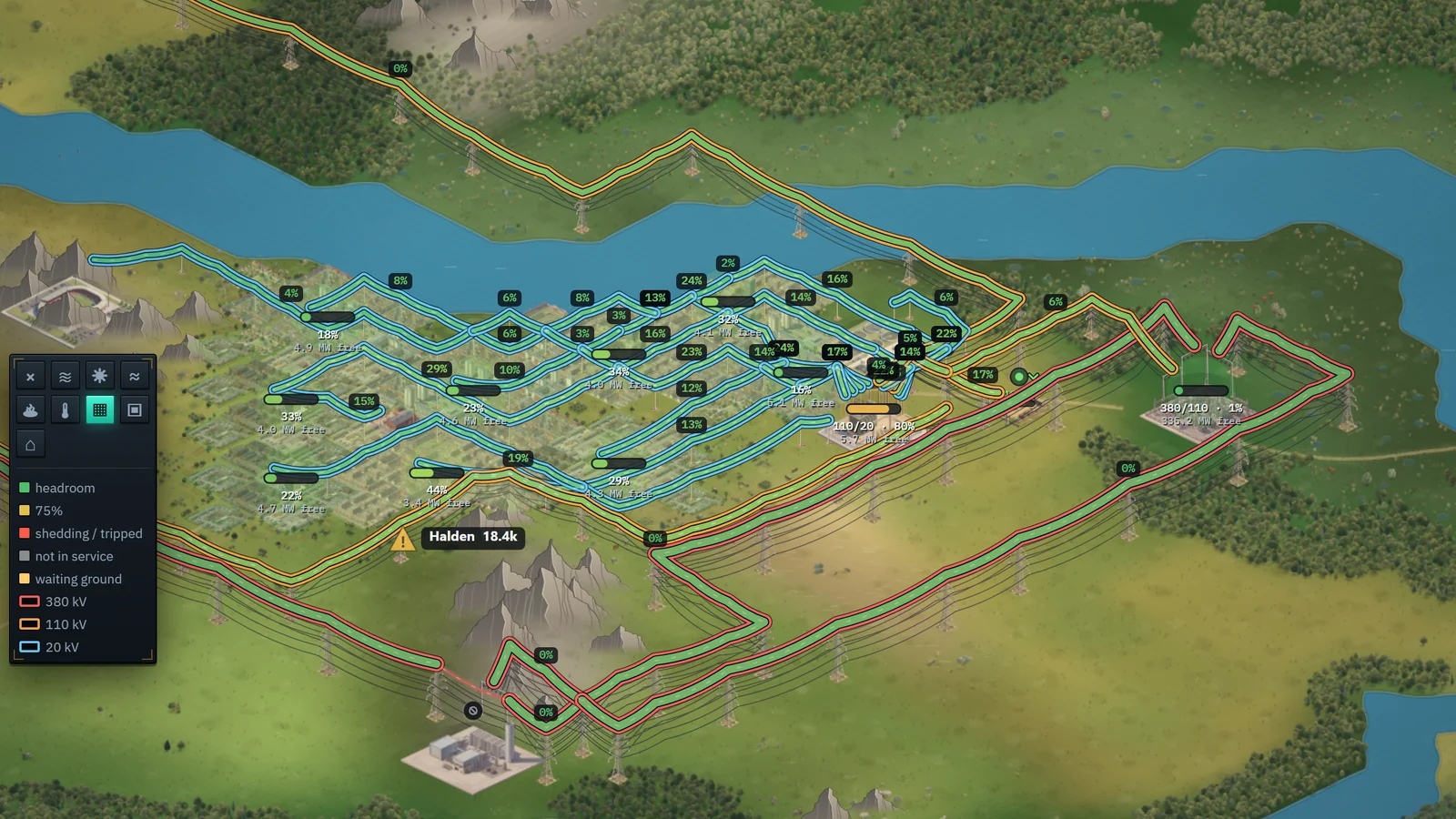
Station Load and Network Loading are now one layer, Network Load. It shows the load on every substation and every line, and tints the streets each Local Substation supplies.
Each line has an outline in the colour of its voltage: red for 380 kV, orange for 110 kV and blue for 20 kV. The fill shows how full the line is. The map is no longer dimmed under it.
- Substation meters are drawn over the lines.
- The legend shows the three outlines.
- The Settlements list no longer runs under the legend.
Filters on the build bar
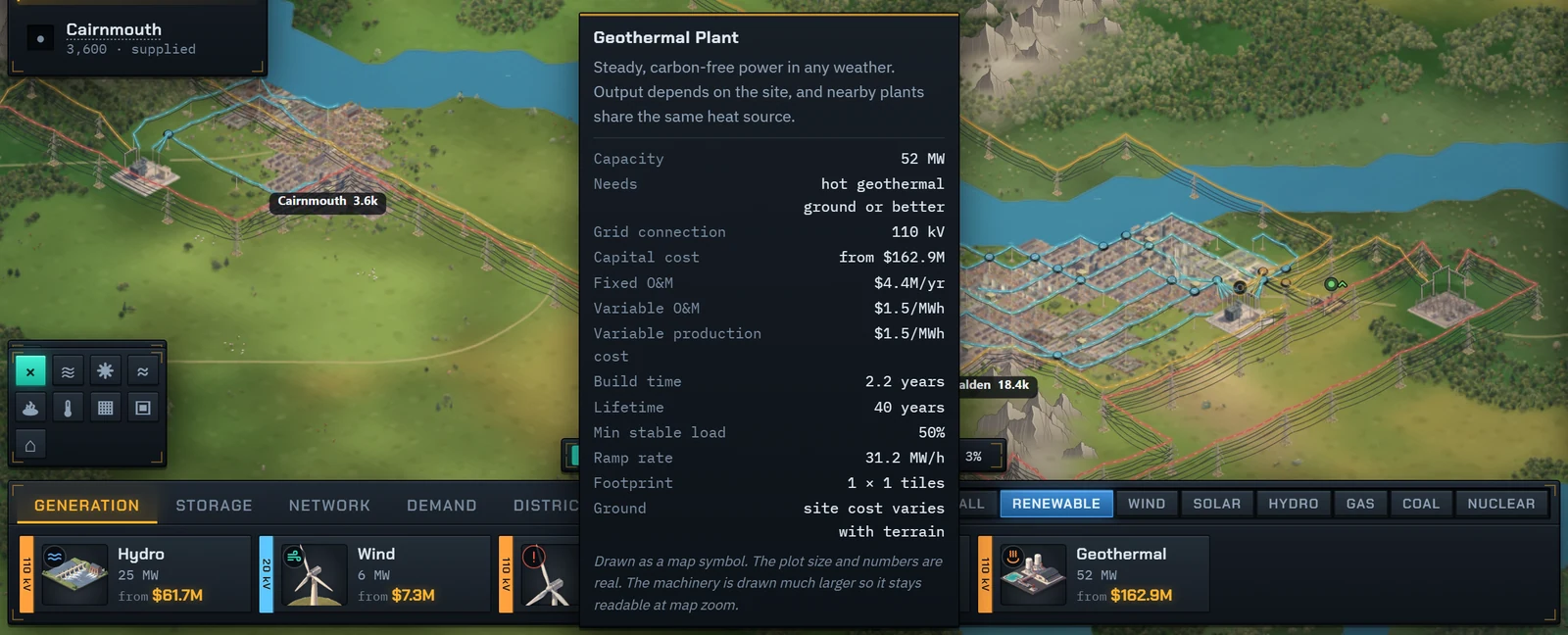
Each build tab has filters at the right end of its tab row. Generation filters by Renewable, Wind, Solar, Hydro, Gas, Coal and Nuclear. Storage filters by Battery and Hydrogen. Network filters by 380, 110 and 20 kV.
One filter at a time. Each tab keeps its own, and pressing the lit one goes back to All. A substation shows under both of its voltages.


The ground a unit needs
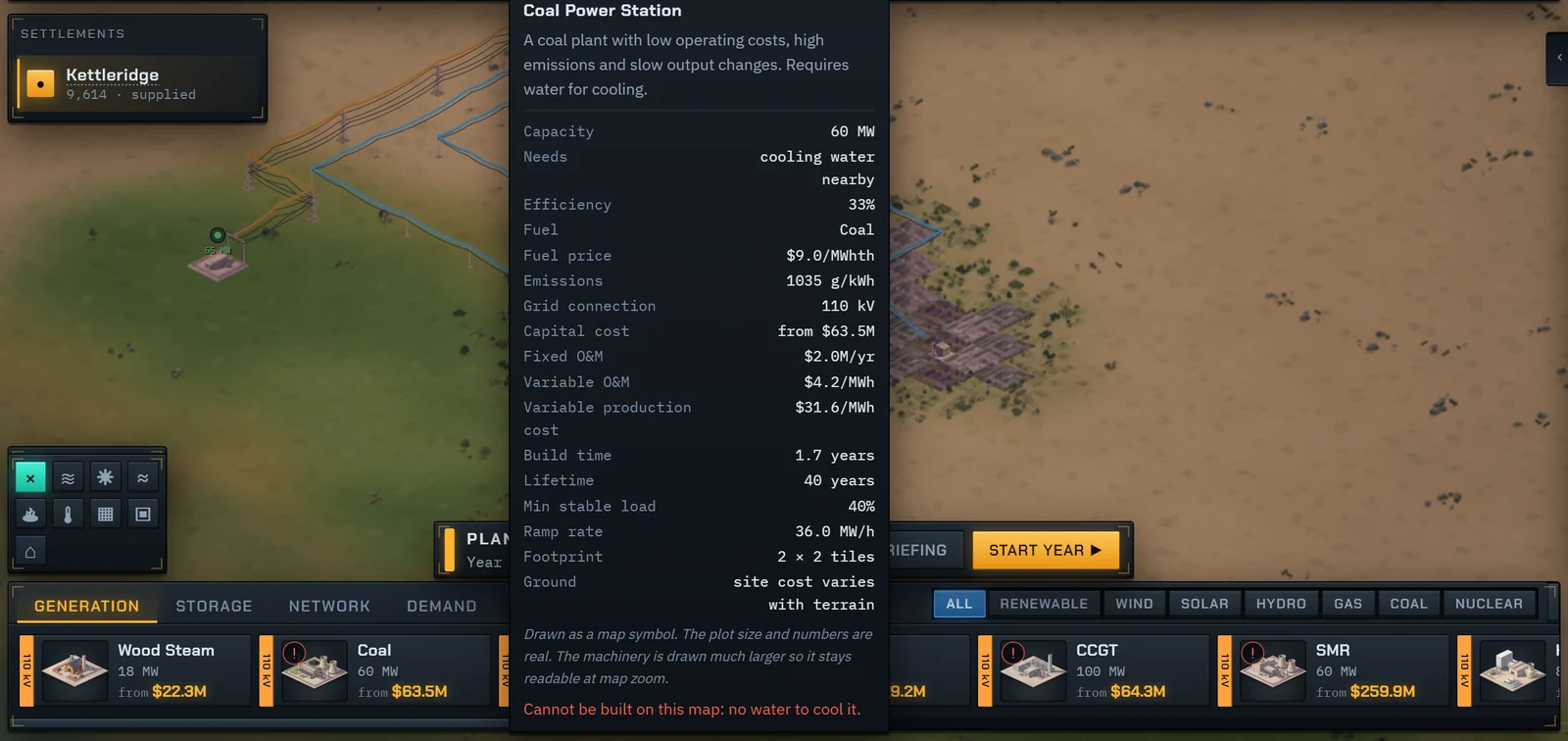
Build buttons carry a mark for the ground the unit needs: a drop for cooling water, waves for a river, and the wind, sun and geothermal marks of the map layers. The card starts with a Needs row.
When the map has none of that ground, the mark turns red and the card says why. On Teksas that is coal, CCGT, nuclear, the dam, offshore wind and geothermal.
Programmes with nothing to build
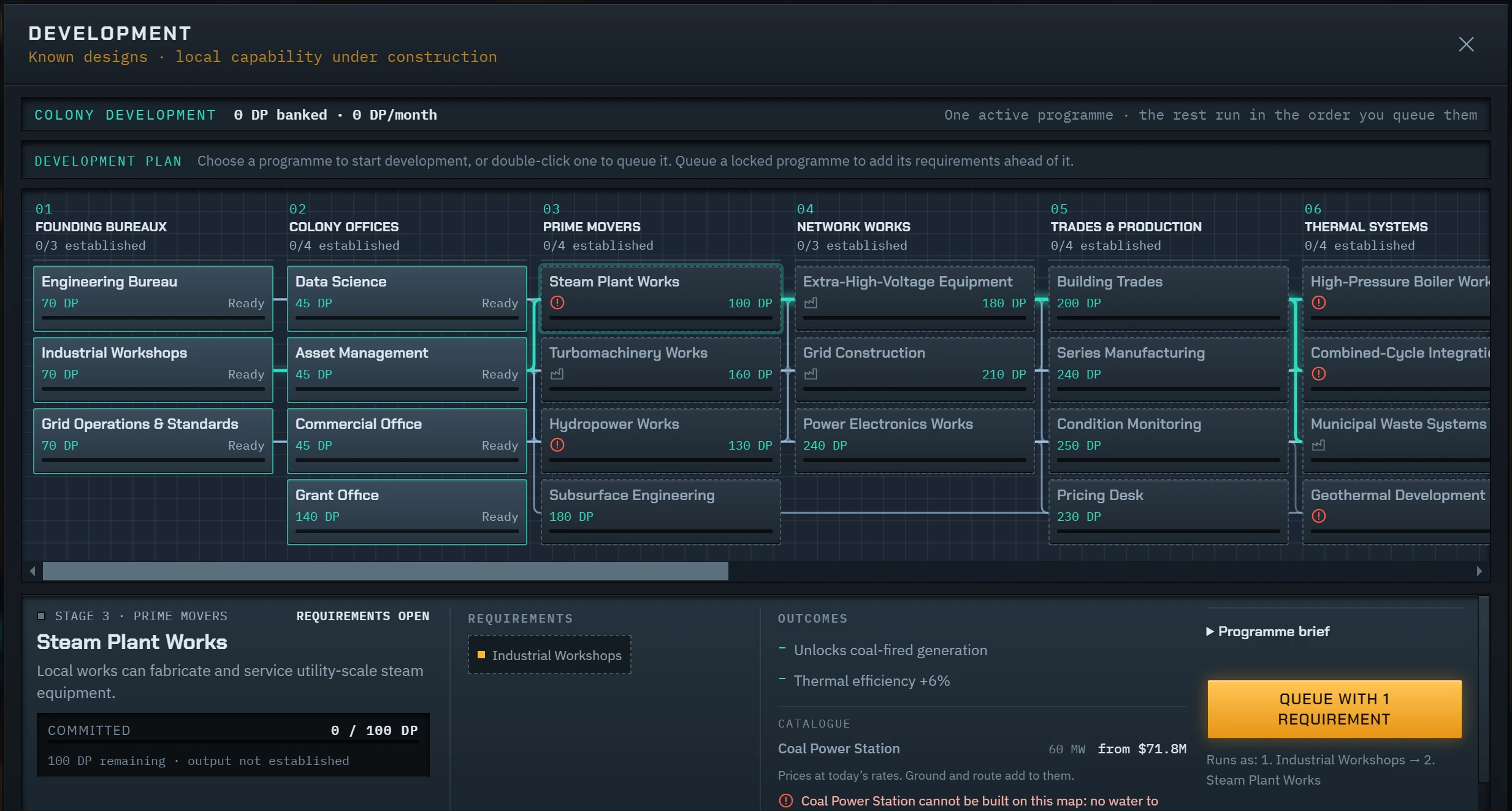
The Development panel marks a programme whose units cannot be built on this map. Its details name the unit, the reason, and what the programme still leads to.
Share, LinkedIn and a coffee
The start screen has a Share button, a LinkedIn link and a Buy me a coffee button. Share opens your device’s share menu, or copies the link where there is none.

Everything in 0.9.5
Every change in this update, as it is listed on the changelog.
- The Generation tab of the build bar has filters: Renewable, Wind, Solar, Hydro, Gas, Coal and Nuclear.
- The Storage tab filters by Battery and Hydrogen, and the Network tab by 380, 110 and 20 kV.
- Build bar buttons show the ground a unit needs: cooling water, a river, wind, sun or geothermal heat.
- The card of a build button starts with a Needs row.
- A unit that cannot be built anywhere on the map has a red mark, and its card says why.
- The Development panel marks programmes whose units cannot be built on this map.
- A Share button on the start screen opens your device’s share menu, or copies the link.
- LinkedIn: a link on the start screen and on every page of the site.
- A Buy me a coffee button on the start screen.
- Buy the full game inside the game. The code is entered for you.
- Lost your code? Enter your email in the game or on the pricing page and every code bought with it is sent again.
- The Challenge card on the start screen has New run beside Continue. It asks before it replaces the run in progress.
- Lines across the sea or a lake are laid on the seabed as subsea cable.
- Station Load and Network Loading are one map layer, Network Load.
- The map is no longer dimmed under Network Load.
- On Network Load each line has an outline in its voltage’s colour: 380 kV red, 110 kV orange, 20 kV blue.
- Tooltips keep up with the cursor on a large colony, also with a build tool selected.
- Placing a Local Substation shows its card beside the streets it would supply instead of over them.
- Auto-set price stays under the price at which industry starts closing, unless your cost of supply is higher.
- The Guild of Industry’s reliability contract counts shortfall from the day you sign.
- The reliability contract is not offered if last year’s shortfall was longer than it allows in a year.
- A blackout after a trip is shorter when a gas turbine or a dam can start quickly. The alert names it.
- Text across the game and the website is shorter and plainer.
- The start screen buttons sit in two rows, each on a solid background.
- The Founder edition is always on sale and costs €14.99.
- After a purchase the game unlocks by itself, also in a tab that is already open.
- Codes are accepted without dashes, in lower case, and with O for 0 and I for 1.
- Substations show on the map when they are not connected or at their limit, and ring amber above 85% load.
- A substation being reinforced shows a construction bar on the map.
- The Interruptions button opened the Development panel until Grid Operations & Standards was done.
- The Settlements list ran under the map layer legend.
- Hints said to put a plant on Hold. The instruction is called Reserve.
- The storm card suggested underground cable, which is not in the game.
- The About window said nothing is ever sent. It now says what is sent and when.
- Towns showed more homes than people. Homes are now counted from the people.
- A second line along the same route hung its wires through the first. Each line now has its own towers.
- A line crossing a building could not be hovered or clicked there.
- An empty Challenge leaderboard said it could not load. It now says No scores yet.
- Buyers still saw Get the full game on the start screen after their code was checked.
- A server error while entering a code said the code was not valid.
- Release this device could say the slot was free when the server still held it.
- Pressing Enter in Lost your code could send the code several times.
Play 0.9.5 now
No account and nothing to install. Your run is saved in your browser.